Editing app or AI video maker?
A video maker does one of two jobs: it edits footage you already have, or it makes the footage for you. Which one you need depends on whether you have footage.
| Kind of tool | What it does | Best for |
|---|---|---|
| Desktop editors | Cut, join and add effects and sound to footage you shot | People with footage who want to learn editing |
| Phone editing apps | Quick edits to videos shot on a phone | Creators who post their own footage |
| AI video makers | Make a finished video from a topic: script, voice, visuals, captions and edit | Posting short videos regularly without filming |
How to make a video with Hype Studio
- Pick a format. One of 40: “What if?”, explainers with numbers, history on a moving map, a true story as a cartoon and more. Each has a sample on the formats page.
- Write your topic. One sentence is enough for a single video; for a series, write your topics or pick from the suggestions.
- The video is made. The script is written and voiced, scenes are drawn, captions and music are added and the video is edited.
- Watch and post. Watch it before it goes out and change the script or a scene. Then download and post it, or on the Hype plan connect your accounts and schedule it to 12 platforms.
Videos you can make
 What would happen if…?A video in this format: 171,217,731 views
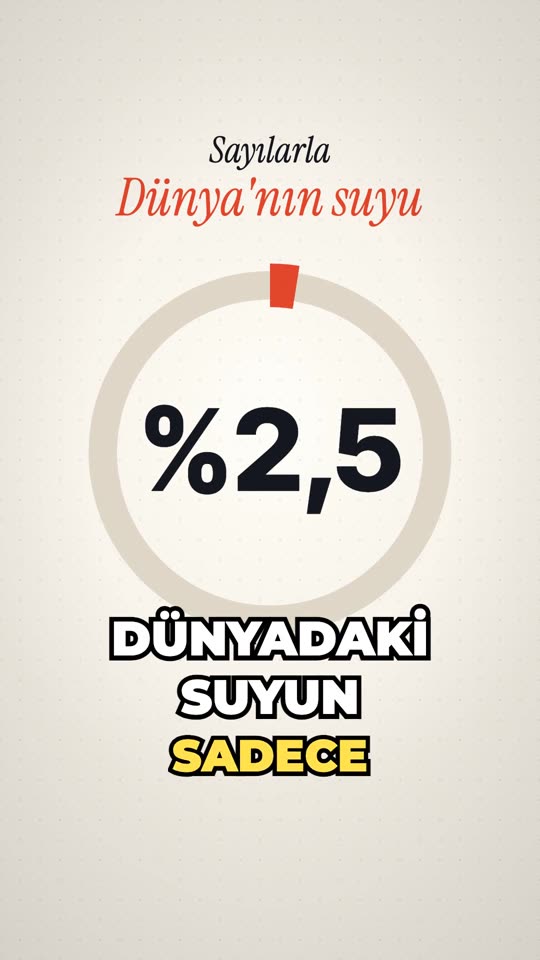 A topic told in numbersA video in this format: 48,164,585 views
 History on a moving mapA video in this format: 35,071,501 views
 A true story as a cartoonA video in this format: 10,096,570 views
Views are measured on videos other creators made in these formats, not videos made with Hype Studio.
One video, a series or your own footage
- One video: one topic, one video.
- A series: write the topics in order; each episode is ready on its scheduled day.
- Comment-driven series: the next episode’s topic is picked from viewers’ comments.
- Your own footage: turn an uploaded video or a YouTube link into short videos.
- From ChatGPT and Claude: run the studio by chatting; see the AI social media manager page.
Hype Studio pricing
There’s no free plan; plans start at £15 a month. Signing up and setting up your series is free; you choose a plan to have the videos made. Details in the pricing post.
| Plan | Monthly | Videos | What’s included |
|---|---|---|---|
| Starter | £15 | 3 a week (12 a month) | Videos, series, carousels, your own footage, and running it from ChatGPT or Claude |
| Growth | £29 | 6 a week (25 a month) | Everything in Starter, twice the videos |
| Hype | £37 | Every day (30 a month) | Everything in Growth, the most videos, the Assistant, connected accounts and auto-posting, DM automation, team and brand kit |
Frequently asked questions
Do I need to download a video maker?
No. Hype Studio runs in the browser on a computer or a phone. Videos are made on our servers, so they don’t depend on your device.
Is there a free video maker?
Yes; if you’re editing your own footage, free editing apps often do the job. Hype Studio isn’t free: plans start at £15 a month. With free tools, check for watermarks and limits on length or resolution.
Can I make videos on my phone?
Yes. Hype Studio works in a phone’s browser, and the video is made on our servers.
Which languages are the voice-overs in?
English or Turkish, with captions. You can also upload your own voice.
Can I edit my own videos?
Yes. Upload your footage to have it edited, or turn a YouTube link into short videos.